Select Version of EA Desktop:
When you Add a contract, you must link at least one seismic record.
To link seismic to a contract:
-
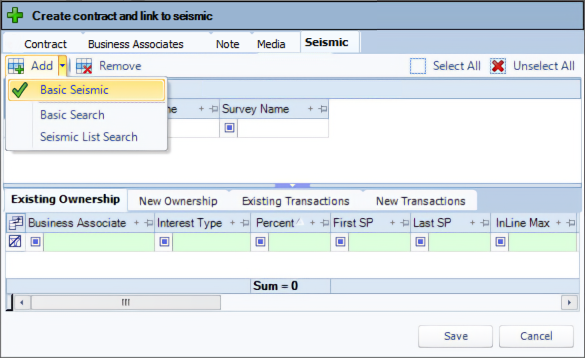
In the Create contract and link to seismic window, click the Seismic tab.
-
Click the down arrow next to Add, and select a search option.
-
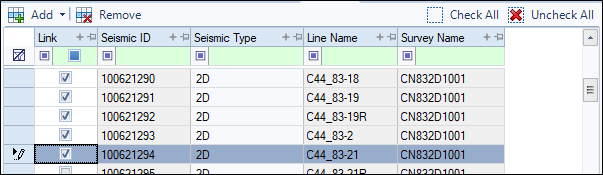
In the search window, enter the search criteria and click Search. The results display in the upper panel with the associated detail.
-
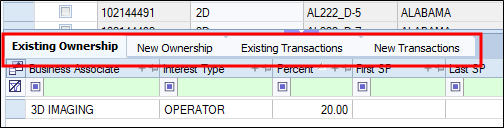
View the results to identify the seismic to link. Use the lower tabs to view the ownership and transaction information.
-
In the Link column, check the seismic to link to the contract.
-
To add information under the Business Associates, Notes or Media tabs, click the associated tab and continue with the relevant steps.
Or click Save and add the information later via the context menu.